A Mac app that prints your picture the way an offset press does: four inks, every dot, on scans of real paper.
Halfdot 1.0 for Mac · Technical note, November 2026
Keys: plus and minus to zoom, arrows to move, 0 for the whole print.
The whole print
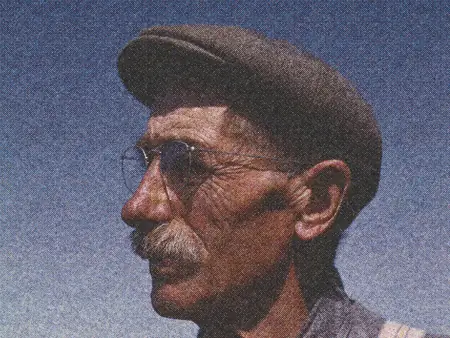
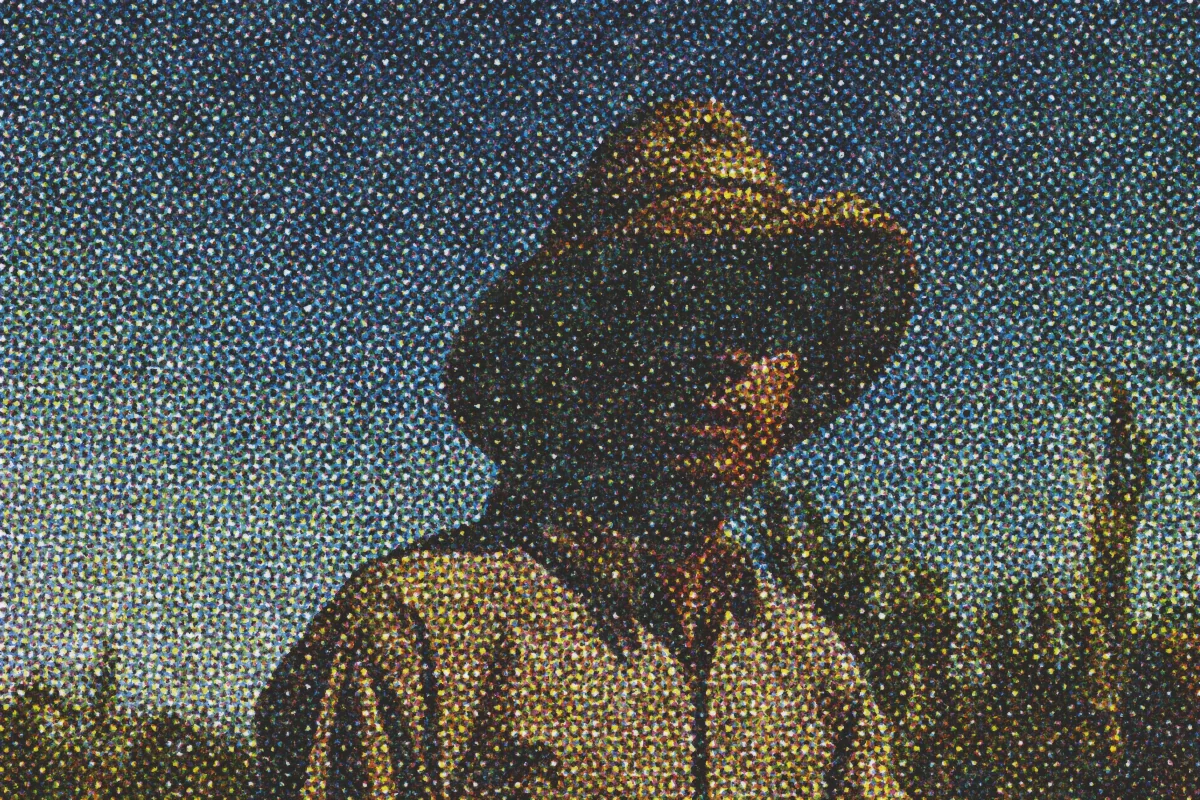
Fig. 1.Gus Worke, a farmer, Southington, Connecticut, May 1942, on Uncoated, ink shift 7% of a dot. It glides into the dots by itself: click to go closer, drag to move, pinch or hold ⌘ and scroll to zoom, and double-click for the whole print. The zoom levels are renders of the same print made for this page, at 3,000, 6,000 and 12,000 px wide, so nothing is enlarged; the app itself exports up to 11,000 px.Gus Worke, Southington, Connecticut, 1942. Pinch or tap to zoom, then drag to move.5
Halfdot separates the picture into cyan, magenta, yellow and black, screens each at its own angle, and prints every dot on a scanned sheet of paper. Compared with the reference data behind each paper, a 50% black lands within 1.2 percentage points on Coated and 0.3 on Uncoated.Compared with the reference data behind each paper, a 50% black lands within 1.2 percentage points on Coated and 0.3 on Uncoated.1
Photoshop's Color Halftone draws a dot screen for each channel of one flat image. Halfdot also spreads each ink into the paper, shifts the inks out of register and prints on a scan of the paper.
Needs a Mac with Apple silicon (M1 or later) and macOS 14 or later.
C 15° · M 75° · Y 0° · K 45° · 400%, under the lens: dots 0.19 mm apart
Fig. 2. Switch the inks off and on. Each is a plate of its own, printed with the engine and laid over the paper the way the app's lens does it; with all four on, the engine's own print. At 400% the rosettes show. Picture: Man, possibly a farmer or agricultural laborer, 1941–42.
1
Four inks, four angles
Every colour is built from four plates, so the picture breaks down the way an offset print does.
AnglesCyan 15°, magenta 75°, yellow 0°, black 45°. Together they make the rosette pattern of a magazine page: small flower-shaped clusters of dots. At one angle the four plates stack on one grid, so no rosette forms.
BlackCarries the darkest tones: on Uncoated, nothing in the highlights, 12.6% in a middle grey, 89% in a deep black, within Halfdot's 330% ink limit.3
Free: all four inks, in register. Full version: leave any ink out, for one-, two- or three-colour work.
Uncoated · Plain matte paper, like a book page. · ink spreads 15 µm past each dot · light travels 35 µm into the sheet · exports in the free version
Fig. 3. The same piece of the print, where the feathers are white so the paper shows, printed once per paper with the same settings, shown at about its own pixel size on a 2× screen. A dot marks a paper that exports with the full version, as in the app.
2
Seven real papers
Choose the stock and the print changes with it: its white, its grain, how far the ink spreads into it.
ScannedSix of the seven are made from scans and photographs of real paper;4 the surface of Coated is calculated.
MeasuredInk spread from 8 µm on Coated to 43 µm on Newsprint, and the light inside the sheet that makes a dot look bigger than it is. All values in Table 1.
ColourCoated and Uncoated print with colour tables calculated from Fogra's characterisation data;1 Newsprint with our own table, built on the uncoated data. Card, Kraft, Ribbed and Laid use the Uncoated table.
Free: Coated and Uncoated. Full version: all seven. Every paper can be tried on screen.
Table 1. The seven papers, as the engine prints them. The ruling is set per job: the close-up ruling is the one each paper shows with Press-ready off; with Press-ready on, the ruling follows the dot size and the print size.
Paper
Ink spread
Light in the sheet
Close-up ruling (example)
Stripes
Exports in
Coated
8 µm
25 µm
150 lpi
none
free and full
Uncoated
15 µm
35 µm
133 lpi
none
free and full
Newsprint
43 µm
45 µm
85 lpi
none
full
Card
20 µm
40 µm
85 lpi
none
full
Kraft
20 µm
40 µm
85 lpi
2.88 mm
full
Ribbed
15 µm
35 µm
100 lpi
2.88 mm
full
Laid
15 µm
35 µm
100 lpi
1 mm
full
Stripe spacing can be set from 0.5 to 10 mm. For scale, a newspaper prints at around 85 lines per inch, a magazine at 133 to 150.6
Ink shiftDirection · drag the dial
Ink shift 20% of a dot · 0.038 mm on Uncoated · direction 0° · black stays put
Fig. 4. Drag the slider and the dial. The inks slide over the paper live, as in the app's lens; at 0%, the engine's own print in register comes up through them. Uncoated at its close-up ruling of 133 lines per inch, so the dots sit 0.19 mm apart. The app starts at 7%; this figure opens at 20%, where the shift is easy to see.
3
Ink shift
Shift the inks a fraction of a dot out of register: a press on a good day, or a fast press on a bad one.
MeasuredAs a share of the space between dots: 7% on Uncoated is 0.013 mm.
DirectionDrag the lens to choose which way the inks slip. Black stays put, as on a press where the other plates are set against it.
Try it free on screen. Exporting it needs the full version.
Dot size
Ink grainClean whites
Dots 10 px apart · at 300 dpi, 30 lines per inch · dots and picture read together
Fig. 5. One piece of a picture at four dot sizes, each printed by the engine at 1,200 px wide. Ink grain and Clean whites are shown at 10 px, one at a time. Picture: Man in a sugar cane field during harvest, Puerto Rico, January 1942.
4
Dots, grain and whites
Set the screen anywhere from fine to poster-size, and know the ruling it makes on paper.
Dot size4 to 85 px between dots. With Press-ready on, the app shows the lines per inch at the size it prints.
Ink grainNatural is the grain of printed ink, measured from macro photographs. Slide up for rougher ink.
Clean whitesThe lightest tones stay bare paper, the way a press drops its tiniest dots.
All of these export in the free version too.
BeforePrint
Wipe
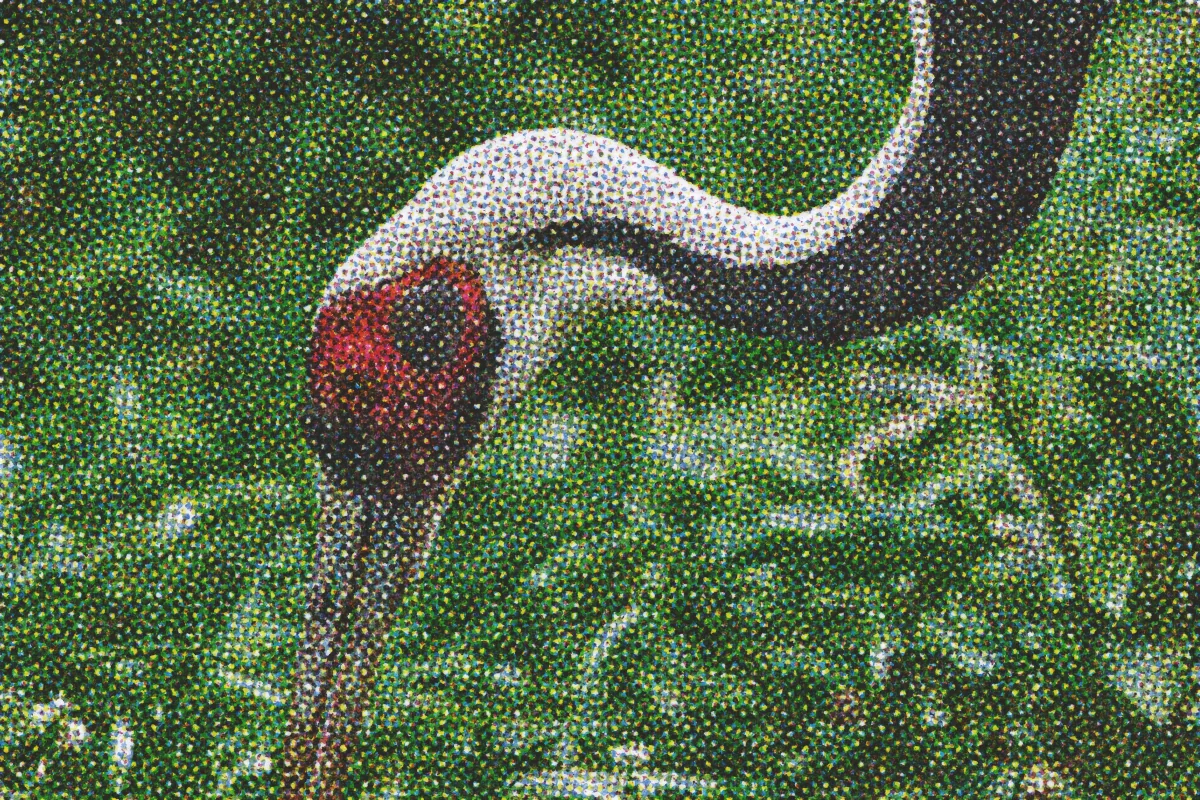
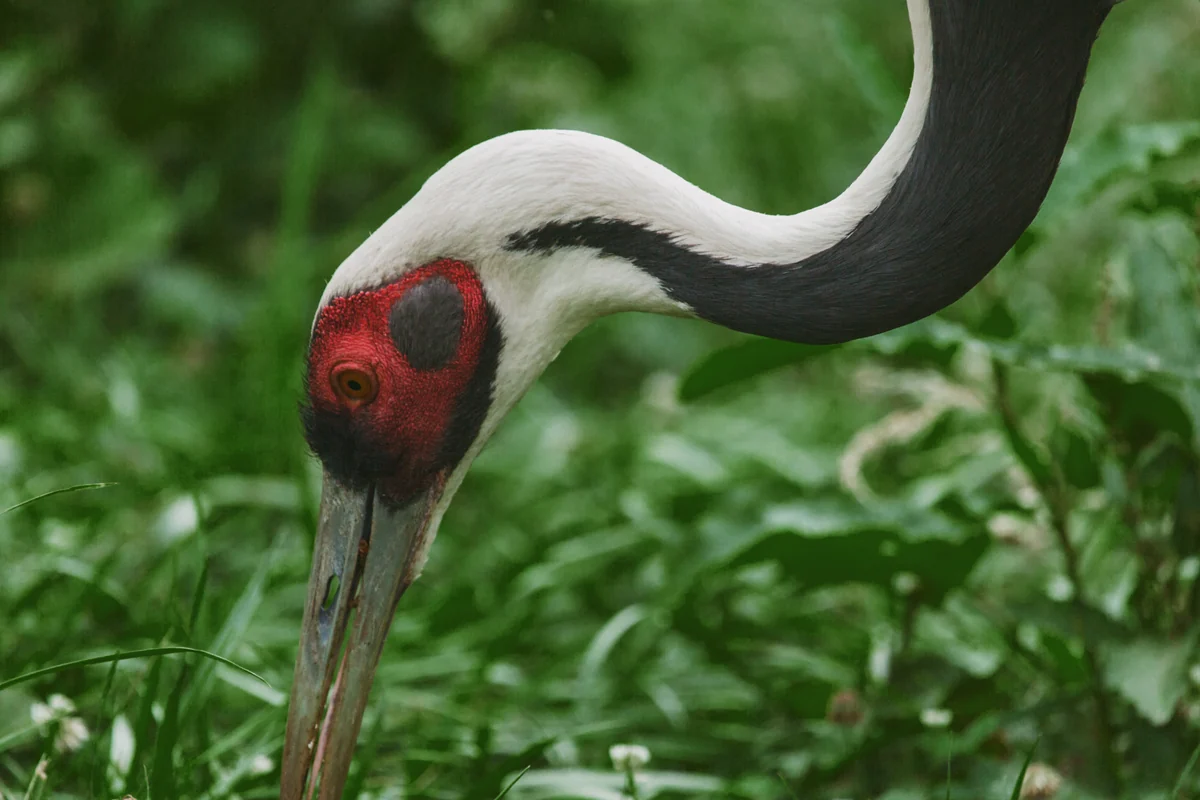
Fig. 6. Drag across the picture: the original on the left, Halfdot's print on the right, printed at 1,200 px wide. Picture: White-naped crane, 2017.
5
Before
See what the press did to your picture, at any moment.
In the appHold Before, or press B, to see the picture as it came in. Let go, and the print is back. A quick click keeps it on.
At 100%Double-click for one pixel of the file on one pixel of the screen. At 100%, what you see is the file at its real pixel size.
PSD layers · Paper, then Yellow, Magenta, Cyan and Black, each on its own Multiply layer
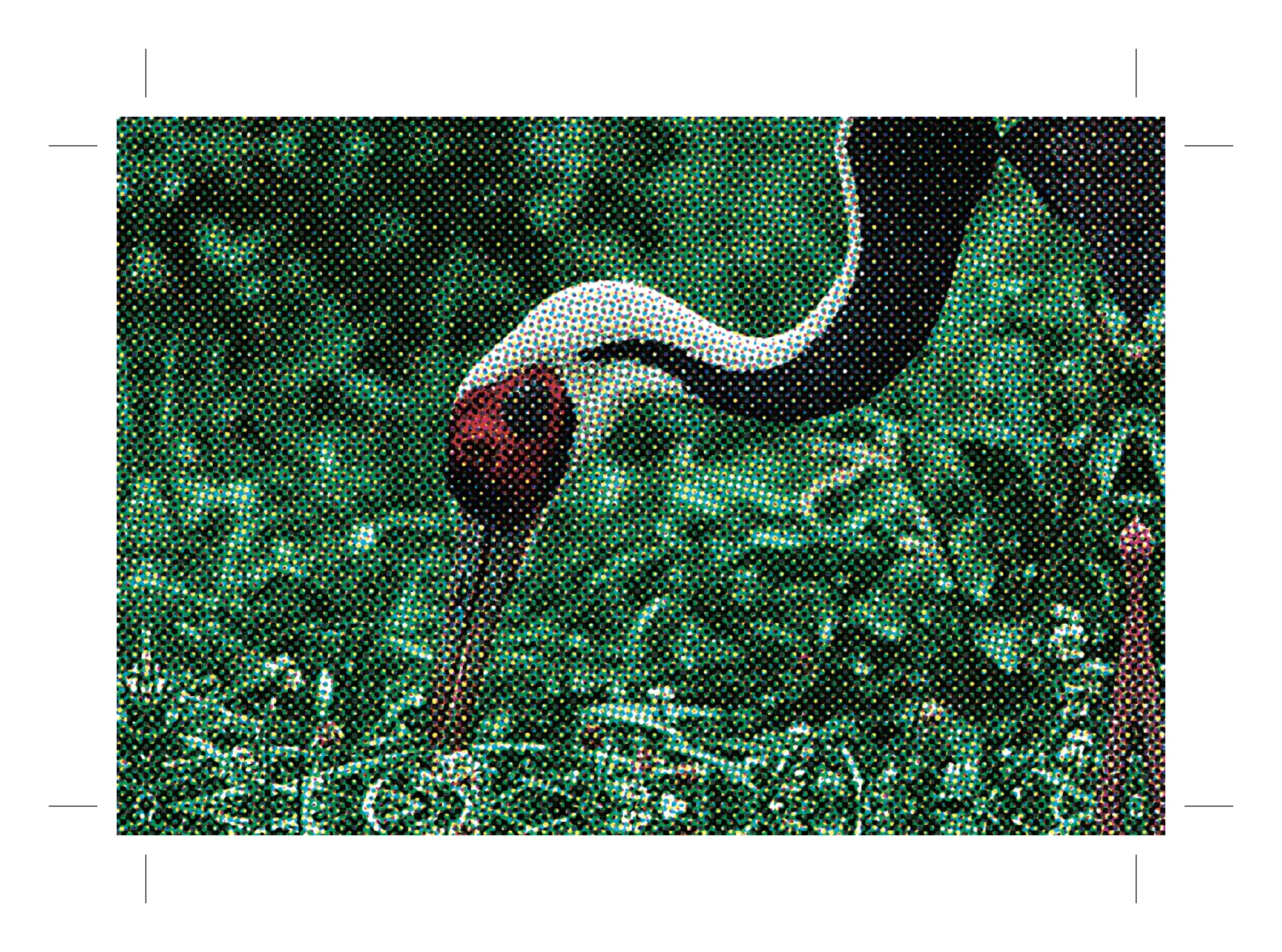
Fig. 7. What Export writes. PSD layers: the paper and inks of the piece in Fig. 2. PDF/X-1a: page one of a file Halfdot wrote with Press-ready on (the crane, Uncoated, 1,200 px at 300 dpi), drawn by macOS. 11,000 px: the piece in Fig. 5.
6
Export
Take the print further: every ink on its own layer in Photoshop, or a PDF/X-1a for the print shop.
PNGOne flat picture: up to 2,000 px on the long side free, 11,000 px with the full version.
PSD layersA Photoshop file at the export size: a Paper layer, then Yellow, Magenta, Cyan and Black, each a Multiply layer with its dots as pixels. Very large files are saved as PSB.
PDF/X-1aPress-ready writes a PDF/X-1a at print size with bleed and crop marks, and names the printing condition inside the file. It is a simulation file, not a proof: confirm with your printer and ask for a proof before a run.
SizeUp to 11,000 px wide, 200 megapixels in all.
PSD layers, the PDF and files past 2,000 px export with the full version.
Try every setting on screen in the free version. Export all of it with the full version: one payment of $29, two seats, free updates for version 1.
Six of the sample pictures that come with Halfdot, each printed by the engine on a different paper. Click or tap a plate for 200%: a second print at twice the width, never an enlargement. Swipe for the next plate.
Plate I. Earthrise, Apollo 8, 1968, detail, on Newsprint. Printed at 1,800 px wide, dots 13 px apart. NASA, Bill Anders, public domain.
Plate II. Guide at Little Norway, Blue Mounds, Wisconsin, 1942, on Laid. Printed at 1,200 px wide, dots 10 px apart. Arthur Rothstein, Library of Congress, LCCN 2017878934, public domain.Plate III. Bouquet of Flowers in a Roemer, about 1620, on Coated. Printed at 800 px wide, dots 8 px apart. Ambrosius Bosschaert the Elder, The Metropolitan Museum of Art, public domain.
Plate IV. Streamers, a page of a Hamilton & Katz wood type specimen book, detail, on Kraft. Printed at 1,800 px wide, dots 14 px apart. Photograph by James Puckett, CC BY 2.0.
Plate V. To beautiful Sea Cliff, L.I., WPA poster, 1938, on Card. Printed at 800 px wide, dots 11 px apart. WPA Federal Art Project, New York, public domain.Plate VI. Apollo 11 lifting off, 1969, on Uncoated. Printed at 1,200 px wide, dots 10 px apart. NASA, public domain.
8
Measurements
On a press, a dot meant to cover half the paper spreads until it covers about two thirds of it, so a simulation has to spread by the same amount. We printed a 50% black on each paper with Halfdot and measured how much of the paper it covers.
Table 2. Area covered by a 50% black, in percent of the paper: measured on Halfdot's own print,3 and given by the reference data behind each paper. The difference is in percentage points.
Japan Color 2002 Newspaper (target; paper model ours)2
Reference data: FOGRA39 for Coated, FOGRA29 for Uncoated, and Japan Color 2002 Newspaper as the target for Newsprint.
Method
A 50% black tint was printed on each paper with the version 1.0 engine, and the share of the paper the ink covers was measured on Halfdot's own output. The reference figure is the coverage the paper's published characterisation data gives for the same tint; the difference is in percentage points of area. Coated and Uncoated print with colour tables calculated from Fogra's characterisation data.1 Newsprint's target is Japan Color 2002 Newspaper;2 its paper model is our own, built on the uncoated data, and it prints 4.0 points lighter than that reference (74.8% against 78.8%). The shape of each dot's edge and the grain inside the ink were measured from macro photographs of printed paper.
9
The application
Open a picture, set the paper, the dots and the inks, and export. Every change shows on the whole picture first.
Fig. 8. Halfdot 1.0, free version, with the crane opened as a file (Open…) and printed on Uncoated; on a phone, its panel with the Paper fold open. Fig. 9. Its first opening, over a blurred sample picture.
Open
Drag a picture onto the window, or open one of the sample pictures that come with the app. JPEG, PNG or TIFF.
Size
File width in pixels. Press-ready makes the dots and inks for a press, at the size it prints.
Before the press
What a platemaker does first. Blacks takes the darkest tones to solid ink, Contrast bends the middle tones, Sharpen keeps detail through the dots.
Paper · Dots · Inks
Seven papers and their texture; dot size, ink grain, clean whites and the screen angles; the inks, ink shift and the lens.
Export
PNG, PSD layers, or with Press-ready a PDF.
10
Price
Free for personal use, with no time limit. The full version is a one-time payment of $29, for personal and commercial work.
Needs a Mac with Apple silicon (M1 or later) and macOS 14 or later.
One key covers 2 seats. A seat is one Mac you own or use, with the key active on it. To move a seat, deactivate it in Halfdot › License… and activate the key on the other Mac.
Your prints
Prints you make are yours, with no credit and no fee. The free version is for personal projects; commercial work needs the full version.
Payment
Sold through Lemon Squeezy, the merchant of record. It takes the payment and sends the receipt; we never see your card. Prices include VAT and sales tax where it applies.
Refunds
Purchases are final: the free version lets you try every feature on screen before you buy. If something goes wrong with the purchase itself (a double charge, or a key that won't activate and we can't fix), write to contact@amitkarta.com within 30 days and we'll refund it. Where local law gives you a right to a refund, you have it.
Privacy
Your pictures never leave your Mac. What the full version sends is in the questions below.
It needs a Mac with Apple silicon (M1 or later) and macOS 14 Sonoma or later. To check, open the Apple menu, choose About This Mac and look at Chip. Intel Macs can't run it.
Why does the free version need my email?
To get the free version, you enter your email address in a short checkout at Lemon Squeezy, our store; it costs nothing. The store emails you the download link and tells us your email address and country. We use your address to send the link and to answer you if you write to us; we don't sell it or pass it on. Details in Privacy.
Is the free version a trial?
No. It has no time limit and no watermark. Everything can be tried on screen; the limits are in what it exports, and it is for personal, non-commercial projects.
Do my pictures leave my Mac?
No. Pictures, prints and settings stay on your Mac, and the free version sends nothing over the internet, apart from a weekly check of one small file on halfdot.app for a new version. The full version sends only your license key and a random device label to the store's license service: to activate, and about once every 30 days to check the key.
Why not Photoshop's Color Halftone?
Color Halftone draws a dot screen for each channel of one flat image. Halfdot prints the way a press does: each ink spreads into the paper and scatters light inside it, the inks can shift out of register, and the dots sit on a scan of the paper.
Will the plugin and animation mode cost extra?
Not if you buy the full version by 31 December 2026: if we release them, they're included. After that, they may be sold separately. We don't promise dates.
Is it a proofing system?
No. It simulates how print looks. Colours on screen or in a print can differ from a press, so ask your printer for a proof before a run.
Can I get a refund?
Purchases are final: the free version lets you try every feature on screen before you buy. If something goes wrong with the purchase itself (a double charge, or a key that won't activate and we can't fix), write to contact@amitkarta.com within 30 days and we'll refund it. Where local law gives you a right to a refund, you have it.
Yes. Halfdot is signed with an Apple Developer ID and notarized by Apple. The first time, macOS asks whether you want to open an app downloaded from the internet: click Open.
References and picture credits
Show the references and picture credits
Fogra Forschungsinstitut für Medientechnologien e.V., characterisation data FOGRA39L (coated) and FOGRA29L (uncoated), ISO 12647-2:2004 printing conditions. fogra.org. Halfdot is not certified by, approved by or affiliated with Fogra.
Japan Color 2002 Newspaper, the printing condition Halfdot names in its Newsprint PDFs and uses as the Newsprint reference.
Halfdot measurement notes, version 1.0 engine, 9 November 2026.
Paper scans: “Paper 001” and “Paper 004”, ambientCG, CC0; “A4 Paper Scans”, UrsaFrank, CC0; “Laid watermark, Robert C. Williams Paper Museum”, photograph by Daderot, Wikimedia Commons, public domain. Details in Credits and Licenses, section 6.
Pictures. Fig. 1: Gus Worke, a farmer who came from Germany 40 years ago, Southington, Conn., May 1942: Charles Fenno Jacobs, Farm Security Administration / Office of War Information, Library of Congress, LCCN 2017878600. Public domain. Source. Figs. 2 and 7: Man, possibly a farmer or agricultural laborer, 1941–42: Farm Security Administration / Office of War Information (photographer not recorded), Library of Congress, LCCN 2017877936. Public domain. Source. Figs. 3, 4, 6, 7 and 8: White-naped crane, 2017: Roshan Patel, Smithsonian's National Zoo, CC0 (Smithsonian Open Access), colour graded for Halfdot. Source. Figs. 5 and 7: Man in a sugar cane field during harvest, Puerto Rico, January 1942: Jack Delano, Farm Security Administration / Office of War Information, Library of Congress, LCCN 2017877794. Public domain. Source. Plate I: Earthrise, Apollo 8, 24 December 1968: NASA, Bill Anders. Public domain. Source. Plate II: Guide at Little Norway, Blue Mounds, Wis., 1942: Arthur Rothstein, Library of Congress, LCCN 2017878934. Public domain. Source. Plate III: Bouquet of Flowers in a Roemer, ca. 1620: Ambrosius Bosschaert the Elder, The Metropolitan Museum of Art. Public domain. Source. Plate IV: Streamers, a page of a Hamilton & Katz wood type specimen book, Two Rivers, Wisconsin, 19th century (public domain); photograph by James Puckett, CC BY 2.0. Source. Plate V: To beautiful Sea Cliff, L.I., poster, 1938: WPA Federal Art Project, District 4, New York. Public domain. Source. Plate VI: Apollo 11 launch, 1969: NASA, GPN-2000-000630. Public domain. Source. Blurred behind Fig. 9: Apollo 11, 1969, NASA, public domain. All are among the sample pictures that come with the app, used here as print examples only; their sources do not endorse Halfdot. All app samples and their licences: Credits and Licenses, section 8.
Lines per inch: newspapers around 85, magazines 133 to 150. Wikipedia, “Lines per inch”.
 Halfdot